Chapter 02
The Exposure Triangle
Take control of light instead of leaving every decision to Auto mode.
Use aperture, shutter speed, and ISO deliberately, including in Manual mode.
Photograph one subject with five aperture–shutter–ISO combinations while keeping overall brightness consistent.
Lesson 01
Aperture and Depth of Field
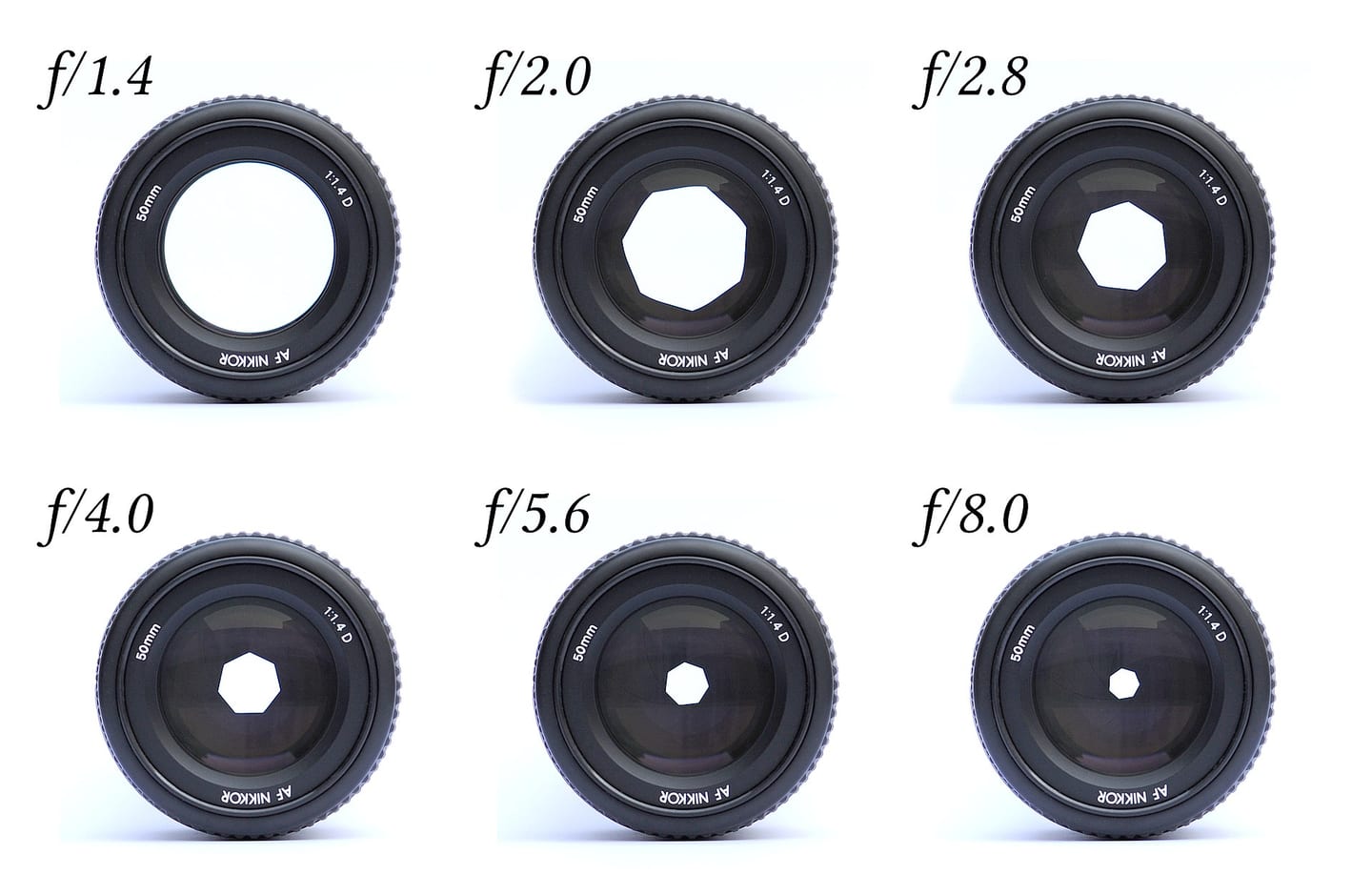
Aperture is the opening inside the lens and is expressed as an f-number. Because the number is a ratio, f/2 is a larger opening than f/8. The full-stop sequence commonly includes f/1.4, f/2, f/2.8, f/4, f/5.6, f/8, f/11, and f/16; every step to the right halves the light. Depth of field also depends on focal length, focus distance, subject-to-background distance, sensor size, and viewing conditions. Strong background blur usually combines a wide aperture, close camera position, longer focal length, and a distant background.
Key takeaways
- A small f-number describes a large opening and more light
- Each full stop doubles or halves the light passing through the lens
- Wide apertures create shallow depth of field; smaller apertures increase the acceptable focus range
- Bokeh describes the character of out-of-focus rendering, not only how blurred it is
- Many lenses improve in technical sharpness one or two stops down from maximum aperture
- Very small apertures can reduce fine detail through diffraction
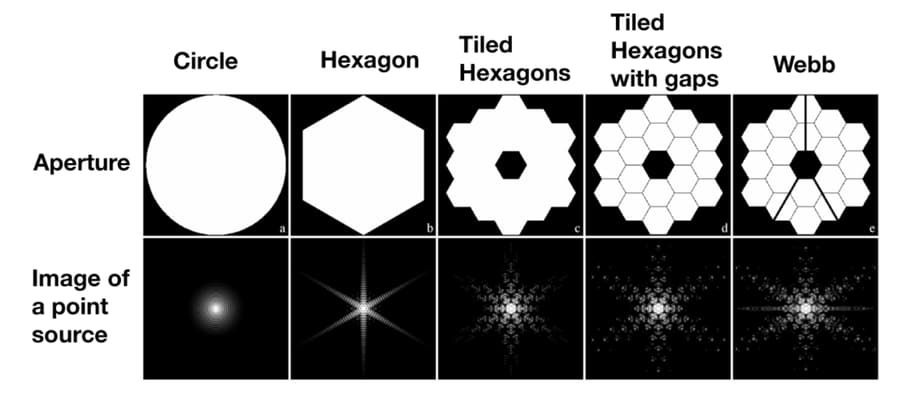
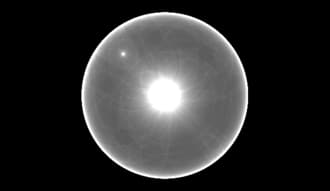
- Stopping down near f/11–f/16 can create a sunstar from a point source; its shape and ray count depend on the aperture blades
Practical example
An individual portrait at f/2 can separate the subject from the background. A group arranged in three rows may need f/5.6–f/8. Bring the rows closer together, step back, and focus about one-third into the group's physical depth rather than automatically choosing f/16. Good subject arrangement often preserves both sharpness and usable shutter speed better than an extreme aperture. When low sun is partly hidden by a building edge, tree, or ridge, try f/11–f/16 for a sunstar. Keep the sun small in the frame, watch highlight clipping, and shade the lens if unintended flare lowers contrast.
Common mistakes
- Always using the widest aperture because background blur looks appealing
- Focusing on eyelashes or the nose when the depth of field is extremely thin
- Stopping down to f/16–f/22 without considering diffraction
- Ignoring background distance when judging blur
- Forgetting that aperture changes may force shutter speed or ISO changes in automatic modes

Knowledge check
Lesson 02
Shutter Speed and Motion
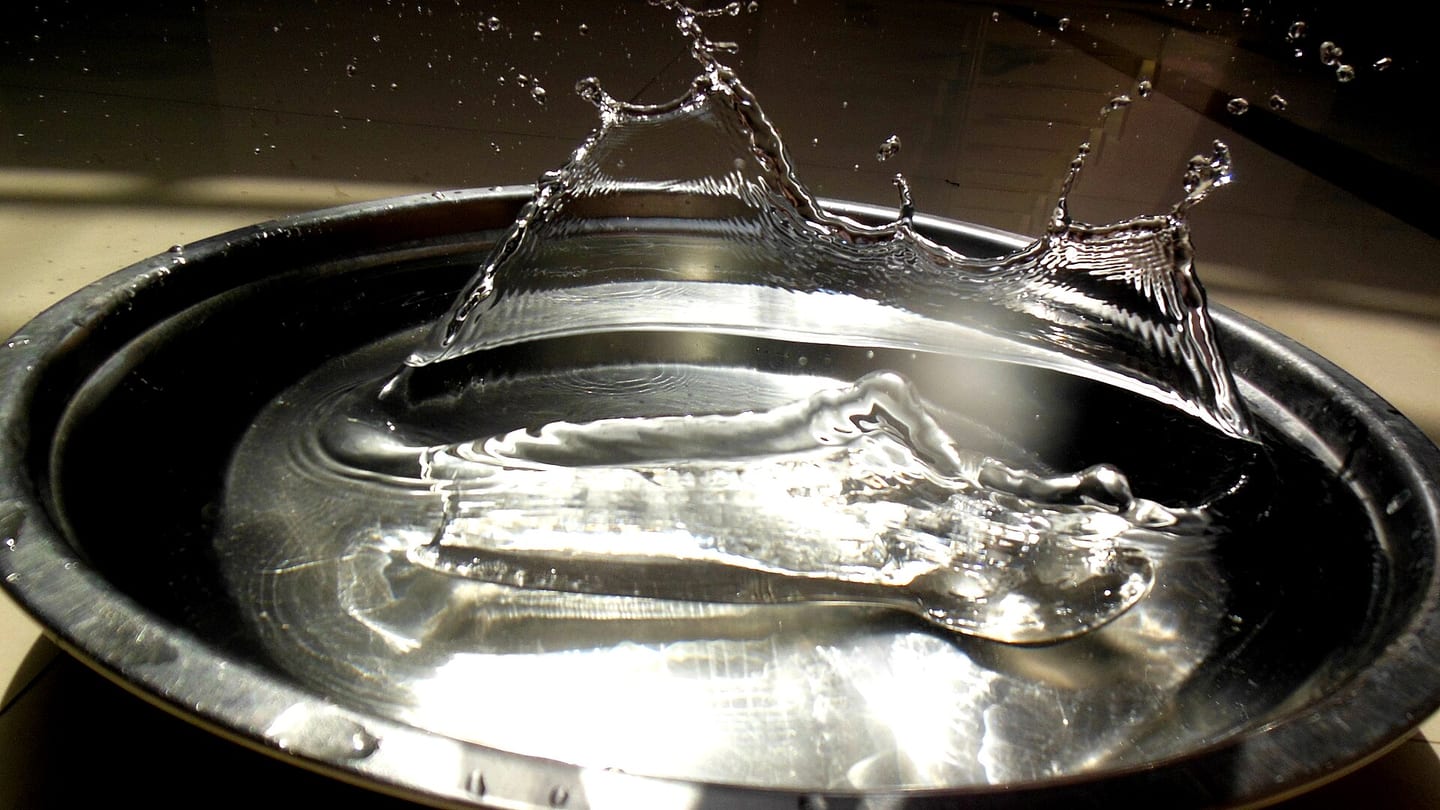
Shutter speed is the time during which the sensor records light. A sequence such as 1/1000, 1/500, 1/250, 1/125, 1/60, and 1/30 sec changes by one stop each step. Slower speeds gather more light and record more movement. Relative motion matters: a subject crossing the frame needs a faster speed than one moving toward the camera; long focal lengths magnify movement; and a nearby subject moves across the frame faster than a distant one.
Key takeaways
- Doubling exposure time adds one stop of light
- Fast shutter speeds freeze action; slow speeds can express motion deliberately
- A tripod removes most camera shake but does not stop movement inside the scene
- Panning uses a slow speed while the camera follows the subject
- A short flash duration can freeze motion, subject to synchronization limits
- Electronic shutters may bend fast subjects through rolling-shutter distortion
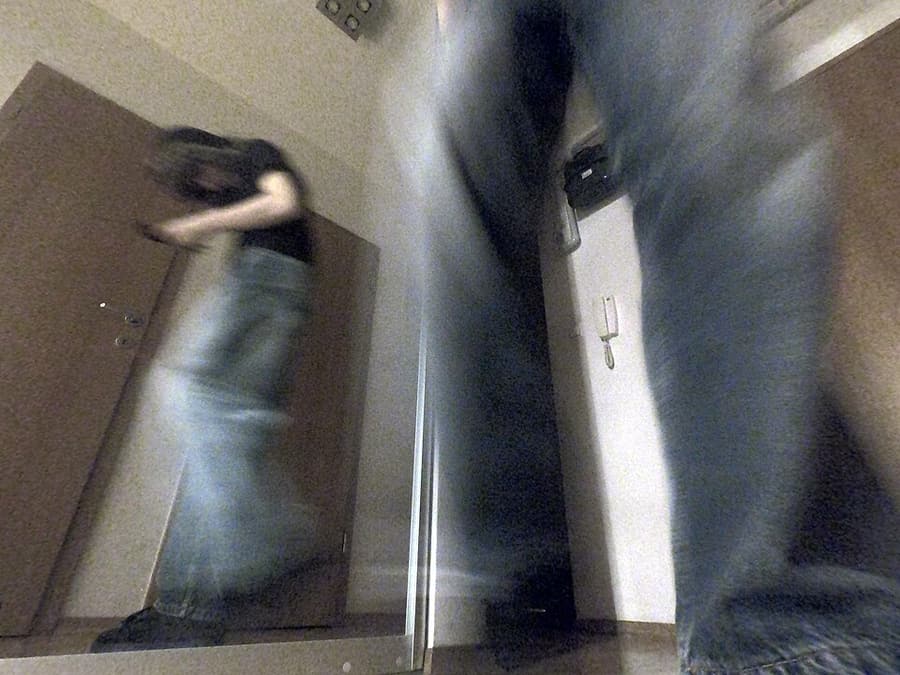
- Intentional camera movement (ICM) and zoom bursts use slow exposures to turn camera or zoom-ring movement into an abstract effect
Practical example
Football may require around 1/1000 sec to freeze a player. For a cyclist panning shot, begin near 1/30–1/60 sec, follow the subject before pressing the shutter, use a short burst, and continue rotating after the exposure. If everything is sharp, slow the shutter; if the subject is unrecognizably blurred, increase speed or improve the tracking movement. For ICM, try a vertical sweep through trees at roughly 1/4–1/15 sec, keeping the motion smooth and choosing a scene with clear lines or color blocks. For a zoom burst, stabilize the camera, use around 1/4–1 sec, and rotate the zoom ring continuously during the exposure. Keep one stable anchor, such as a bright center or tree trunk, so the result is intentional rather than random blur.
Common mistakes
- Watching only exposure brightness while shutter speed falls too low
- Using one speed for every direction and distance of movement
- Stopping the panning motion at the moment of release
- Reaching the Auto ISO ceiling without noticing underexposure
- Using electronic shutter for fast propellers or sports without checking distortion
Knowledge check
Lesson 03
ISO, Signal Gain, and Noise
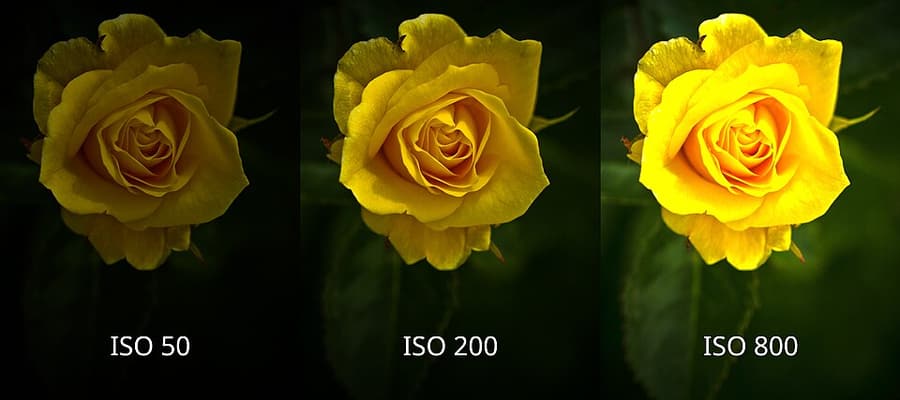
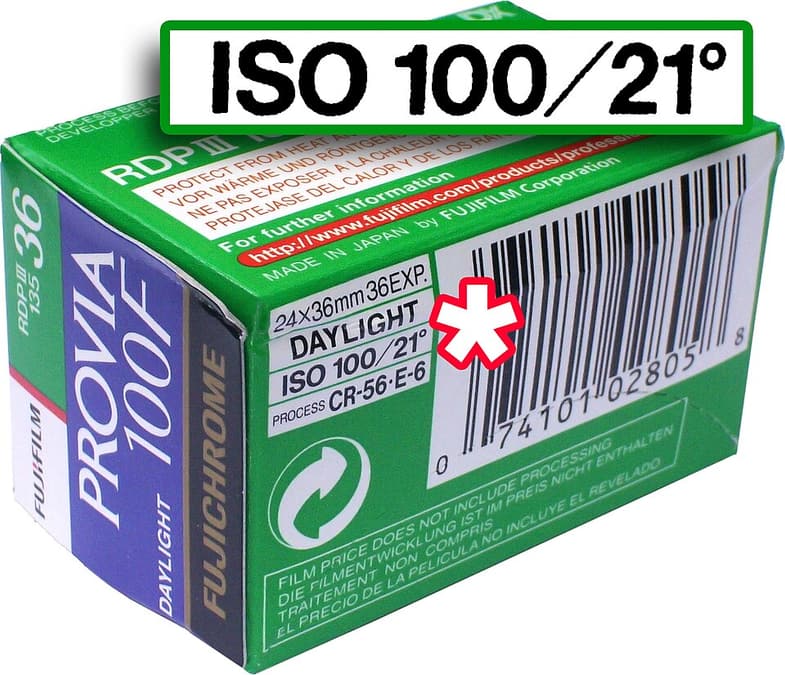
In a digital camera, raising ISO mainly increases signal amplification; it does not make the sensor collect more photons. Aperture and shutter time still determine captured light. When a weak signal is amplified, noise becomes more visible, especially when dark areas are lifted later. ISO is therefore a tool for protecting more important choices: a shutter speed fast enough for sharpness and an aperture deep enough for the subject. A properly exposed ISO 3200 file is often better than an ISO 400 file underexposed by three stops and brightened heavily.

Key takeaways
- Use low ISO when sufficient light and shutter time are available
- Raise ISO when needed to protect shutter speed or depth of field
- A sharp, slightly noisy photograph is usually more useful than a clean blurred one
- High ISO commonly reduces dynamic range and highlight flexibility
- Auto ISO works best with a deliberate minimum shutter speed and maximum ISO
- Judge noise at the final display or print size, not only at 200% magnification
- In A/P with Auto ISO, set an ISO ceiling and ISO AUTO Min. SS for subject movement; try 1/250 second for a walking person. On the A7C this threshold is not a hard shutter lock: the camera may go slower after reaching the maximum ISO.
- M + Auto ISO retains your selected aperture and shutter while varying ISO within limits. At the upper or lower ISO boundary the result may underexpose or overexpose; check the meter, histogram, and EXIF rather than trusting AUTO alone.
Practical example
Indoors, moving from ISO 400 to 1600 allows 1/60 sec to become 1/250 sec at the same aperture. That two-stop change may turn a blurred speaking subject into a sharp one. At a performance, f/2.8 and 1/250 sec at ISO 3200 may be the correct compromise. Apply moderate noise reduction later without erasing hair and skin texture.
Common mistakes
- Protecting ISO 100 at all costs
- Underexposing at low ISO and lifting the file heavily later
- Enabling Auto ISO without limits
- Judging noise only at extreme magnification
- Applying so much noise reduction that texture becomes plastic
Knowledge check
Lesson 04
Balancing the Three Exposure Controls
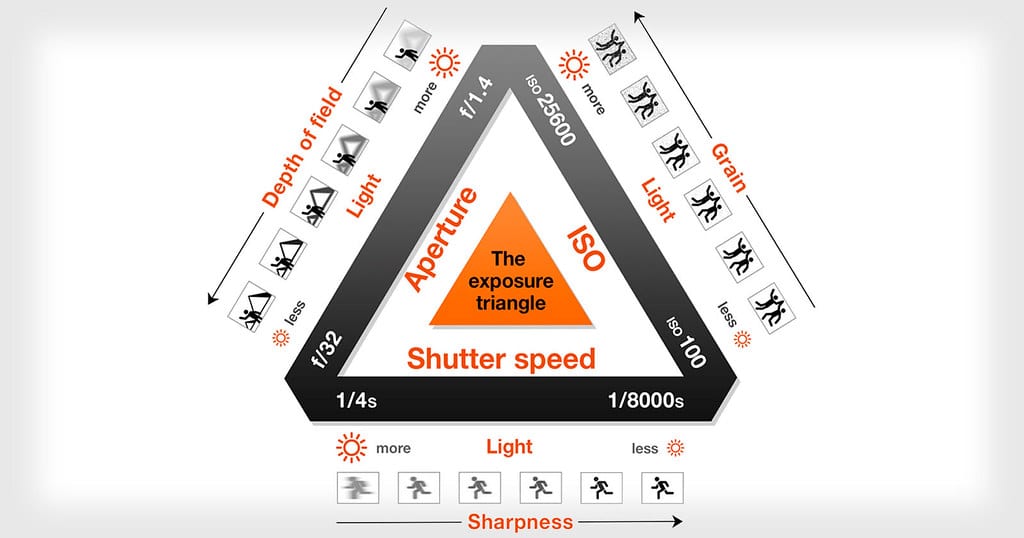
Equivalent exposures use different settings to produce similar brightness, but they do not produce identical photographs. One stop is the shared unit: opening the aperture by one stop can be offset by a shutter speed one stop faster, while raising ISO can compensate when aperture or shutter cannot move further. Begin with the scene's constraint. Set shutter speed from subject movement, set aperture from the required focus depth, and then raise ISO as needed. For a still scene on a tripod, base ISO and a longer exposure may become the better priority.
Key takeaways
- One stop gained with one control can offset one stop lost with another
- Prioritize aperture when depth of field defines the image
- Prioritize shutter speed when motion defines the image
- Set ISO after aperture and shutter satisfy the intention, without treating low ISO as sacred
- Exposure compensation changes the meter target in automatic modes; it is not a fourth exposure variable
- A setting is only “correct” for a particular light, subject, and output
- Dynamic range extends from usable shadows to unsaturated highlights in a single exposure. If scene contrast exceeds capture capacity, alter the light, add fill, or combine exposures; raising Exposure later cannot restore lost data.
- DRO optimizes brightness and gradation from one capture, mainly affecting JPEG/preview rendering. It does not expand the sensor’s physical capture range, and stronger shadow lifting can reveal noise.
- On the Sony A7C, Auto HDR combines three exposures into a JPEG result, requires a relatively still scene, and is unavailable with RAW or RAW & JPEG selected. To retain RAW, bracket exposures and merge later; this differs from DRO.
Practical example
Changing f/4, 1/250, ISO 400 to f/2.8, 1/500, ISO 400 keeps brightness similar: the aperture adds one stop and the shutter removes one. The second setting freezes motion more strongly and creates shallower depth of field. For a group, f/2.8 may be too shallow; keep f/4, use 1/500, and raise ISO to 800 instead. For a bright window in a dark room, expose to retain curtain detail first. Compare JPEGs with DRO off and on: shadows may look brighter, but clipped RAW detail cannot return. If a still scene remains too contrasty, capture −2/0/+2 EV RAW frames with aperture, WB, and focus locked, then merge rather than expecting DRO to rescue everything.
Common mistakes
- Memorizing numbers without defining the creative priority
- Changing all three controls at once
- Using ISO as the first solution before checking aperture and shutter
- Following the meter without reading the histogram or highlights
- Keeping a formula after the light or subject behavior has changed
Knowledge check
Lesson 05
Metering and Reading the Histogram
Camera meters interpret reflected light and try to render a scene near a middle brightness. Bright snow, a white dress, black clothing, or a backlit face can mislead that assumption. Matrix/evaluative metering considers most of the frame; center-weighted emphasizes the center; spot metering reads a small area. A histogram describes tonal distribution, not whether a photograph is good. A valid night image may lean left and a snow scene may lean right. Protect important detail rather than forcing every histogram into the middle.
Key takeaways
- A meter reading of zero is a camera recommendation, not an absolute truth
- Bright subjects often need positive compensation and dark subjects negative compensation
- A pile-up at the right edge can indicate clipped highlights
- RGB histograms reveal a single color channel clipping before overall luminance looks clipped
- Camera histograms usually come from the JPEG preview and may be more conservative than RAW data
- Exposure compensation affects automatic and semi-automatic modes, including Manual with Auto ISO
- Multi/Matrix evaluates many zones; Center-weighted favors the middle; Spot meters a small area; Highlight metering prioritizes bright areas. Choose according to what matters in the scene and verify the result.
- Zebra overlays stripes on areas reaching a selected brightness threshold. On the Sony A7C, enable Zebra Display in Zebra Setting and select a level appropriate to the picture configuration. Stripes are not recorded and do not directly measure RAW sensor data.
- Highlight clipping loses detail when one or more channels saturate. Combine playback warnings with the RGB histogram: a tiny specular reflection may clip intentionally, while important skin or white fabric should retain gradation.
Practical example
A meter may render a white wedding dress gray. About +1 EV can restore the intended brightness, but the histogram and highlight warning must confirm that fabric texture remains. A black outfit against a dark background may need negative compensation to remain dark rather than being lifted to gray. The exact value comes from a test frame, not a universal recipe. For white clothing against a dark background, Multi may overexpose the fabric, while zeroing a Spot reading from white fabric may turn it gray. Make a test exposure, add compensation to preserve its white appearance, then reduce it if important texture disappears. Zebra identifies bright areas in the frame; the RGB histogram reveals individual channel clipping.
Common mistakes
- Forcing every histogram to sit in the center
- Trusting screen brightness outdoors more than clipping warnings
- Spot-metering an unrepresentative area and forgetting the result
- Checking only the luminance histogram and missing color-channel clipping
- Treating a deliberately dark scene as an exposure error
Knowledge check
Lesson 06
A/Av, S/Tv, Program, and Manual Modes
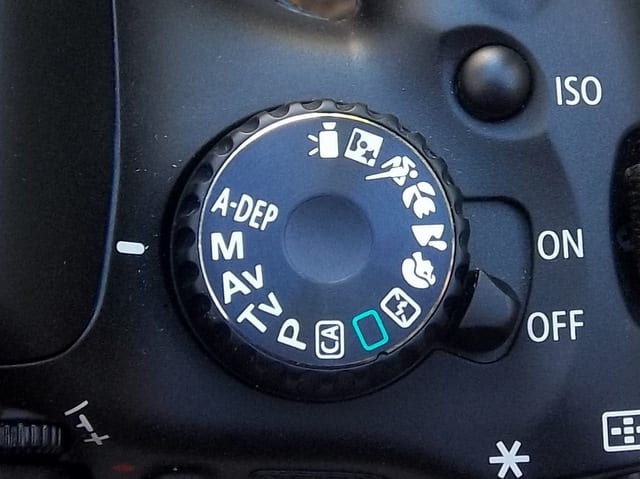
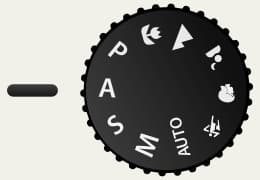
Program chooses aperture and shutter but lets you shift the pair; Aperture Priority locks your aperture; Shutter Priority locks your shutter speed; Manual locks both. Auto ISO can be combined with these modes and makes Manual useful for fixed aperture and shutter while the camera balances brightness through ISO. Choose a mode according to what changes. Variable light with important depth of field favors A/Av; action with a specific motion treatment favors S/Tv; consistent light, flash, panoramas, and long exposures often favor Manual.
Key takeaways
- A/Av is efficient when aperture and depth of field are the priority
- S/Tv is useful when shutter speed and motion are the priority
- Manual creates consistency when the light is stable or flash is dominant
- Program is more controllable than full Auto through exposure compensation and program shift
- Auto ISO needs a suitable ceiling and, where available, a minimum shutter speed
- Always notice when the camera reaches maximum aperture, shutter limits, or the ISO ceiling
- In-camera multiple exposures need locked exposure, white balance, and camera position before frames are combined

Practical example
For an outdoor portrait moving between sun and shade, use f/2.8, a minimum of 1/250 sec, Auto ISO, and a practical ISO ceiling. The camera can change ISO or shutter as the light changes while depth of field remains fixed. If shutter speed drops below the safety limit after ISO reaches its ceiling, respond instead of assuming the mode will solve everything. For a multiple exposure, use Manual to keep every frame consistent, then decide which bright areas in the first frame the second should occupy. Start with two simple frames: a silhouette against a bright background and a detail against a dark one. Check the camera's blend mode because manufacturers combine or prioritize highlights differently.
Common mistakes
- Believing Manual mode is always more professional
- Using A/Av in dim light without protecting minimum shutter speed
- Using S/Tv without noticing that the lens has reached maximum aperture
- Leaving Auto ISO unlimited
- Carrying exposure compensation or ISO settings from the previous situation